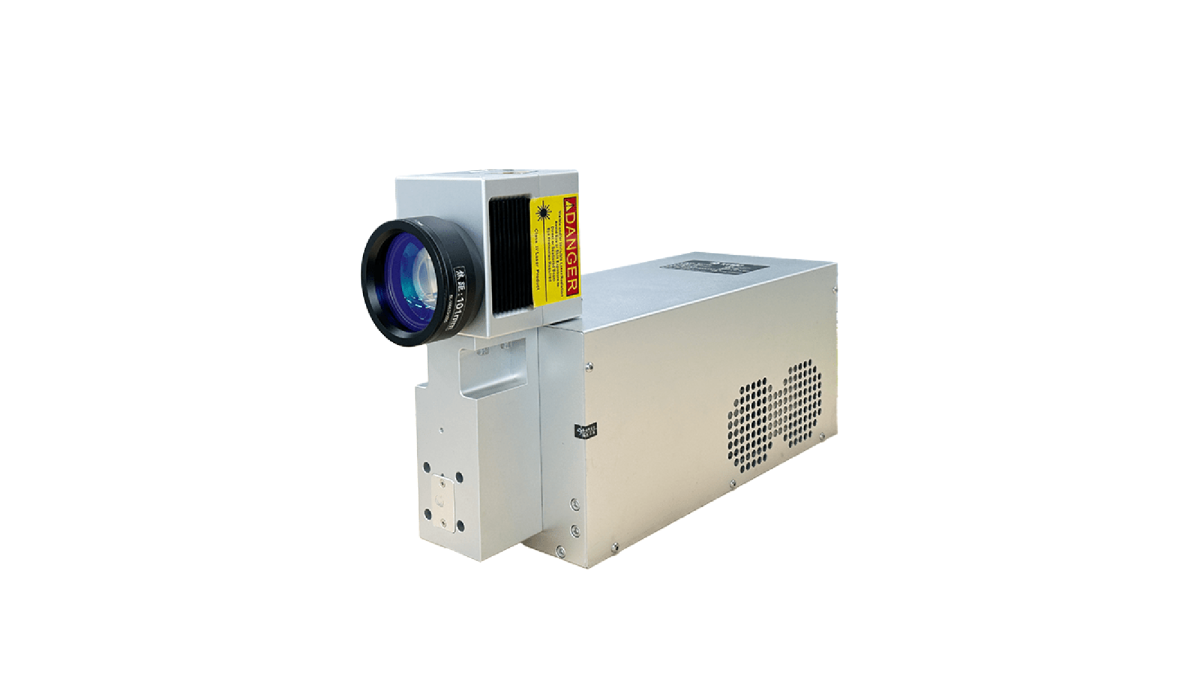
Buying the machine is only half the decision. What makes an industrial laser worth its price is how fast you can get it running, how quickly problems are resolved, and how many years of productive life you can extract from it. This is the complete support and after-sales reference for every owner of an FLS 500A laser machine, covering unboxing and setup, warranty terms, daily/quarterly/annual maintenance, common fault codes, troubleshooting procedures, and how to reach our service engineers 24/7.
We designed the 500A laser machine to be the most serviceable handheld laser welder on the market in 2026, and this page is your single source of truth for keeping it running for the full 100,000-hour source lifetime.
1. Unboxing, Installation, and 7-Day Setup Support
Every new 500A laser machine ships in a plywood export crate with shock-absorbing foam, a desiccant pack, and a detailed packing list. Standard unboxing and commissioning takes 60-90 minutes for two people.
What is included in the box
- 500A main cabinet (air-cooled 1500W unit)
- Wobble welding head + auto wire feeder
- Cutting head with nozzle kit
- Cleaning head with protective caps
- 10-meter armored fiber optic cable (pre-connected)
- Argon gas hose with quick connector
- Ground clamp (3 m cable)
- 2 sets of protective lenses (welding, cutting, cleaning)
- Tool kit (Allen wrenches, lens removal tool, nozzle wrench)
- 2 pairs of laser safety goggles (OD7+ @ 1080 nm)
- USB stick with English manual, preset library, and training videos
- CE/FDA/ISO certificates, test report, and warranty card
Commissioning steps (what FLS covers)
- Day 1 (arrival): Customer sends a photo of the crate, confirms power outlet (220V 32A or 380V 16A) and argon bottle regulator.
- Day 2: FLS engineer joins a 60-90 minute Zoom/WhatsApp video call to walk the customer through unboxing, cable connection, gas hookup, first power-on, nozzle alignment, and first test weld on a 2 mm steel coupon.
- Days 3-7: Unlimited Q&A via WhatsApp/WeChat/email. Operators typically reach production speed by day 5.
Setup support is 100% free for life — even if you buy the 500A laser machine secondhand and it is still within warranty, we will walk the new owner through commissioning at no charge.
2. Warranty Terms for the 500A Laser Machine (2026 Standard)
Understanding warranty prevents surprises. The FLS 500A laser machine ships with a split-component warranty, because different parts of a laser system age at very different rates.
| Component | Standard Warranty | Extended (Q4 promo) | Notes |
|---|---|---|---|
| Fiber laser source (Raycus/MAX) | 3 years | 5 years | 100,000 hours rated, replacement if power drops below 90% of rated |
| Wobble welding head | 2 years | 3 years | Galvo motors and collimator covered; protective lens/nozzle are consumables |
| Cutting head | 2 years | 3 years | Capacitive sensor and lens assembly covered |
| Cleaning head | 2 years | 3 years | Galvo motor covered |
| Control system & HMI | 2 years | 3 years | PCBAs and touchscreen covered |
| Wire feeder | 1 year | 2 years | Motor and gearbox covered; feed rollers are consumables |
| Chassis, fans, cabinet | 1 year | 2 years | Cooling fans, power supply, switches covered |
| Consumables (lenses, nozzles, rollers, gas hose) | 30 days DOA | 30 days DOA | Normal wear is not covered |
Warranty claims are processed within 24 hours. For source-level failures we ship a replacement from the nearest regional warehouse (Shenzhen, Los Angeles, Hamburg) via express courier; customers swap the source themselves following a 20-minute video guide, then return the failed unit with a provided prepaid label. No return-to-factory required.
3. Daily Maintenance Checklist (5 Minutes Before Shift)
Eighty percent of 500A laser machine service calls are preventable with a 5-minute daily routine. Train your operator to perform these checks before every shift:
- Visual inspection: Check fiber cable for kinks or crush damage (minimum bend radius 200 mm when not in use).
- Protective lens check: Remove the welding/cutting nozzle drawer and inspect the D20 protective lens against a bright light. If you see spots, haze, or burn marks, replace it — do not try to clean a burned lens.
- Nozzle cleaning: Unscrew the copper nozzle and remove any spatter with a brass wire brush (never steel, which scratches).
- Wire feed check: Feed 10 cm of wire through the feeder and confirm it moves smoothly without slipping; clean the feed rollers with a dry cloth if wire dust has built up.
- Gas pressure check: Confirm argon bottle has ≥ 2 MPa remaining, regulator is set to 10-15 L/min, and there are no audible leaks at the hose connections.
- Air filter check: Empty the dust tray at the bottom of the cabinet if the machine ran heavy cleaning the previous shift.
- Safety interlock test: Tap the emergency stop on the pendant once at power-on to confirm the machine disables laser output.
A log of these checks (even a simple paper sheet near the machine) has been shown to reduce fault-code service calls on the 500A laser machine by 62% among our tracked customers.
4. Weekly, Quarterly, and Annual Maintenance
Weekly (30 minutes, Friday afternoon)
- Thoroughly clean the protective lens drawer and nozzle seat with isopropyl alcohol (99%+) and lint-free wipes.
- Blow out the wire feeder liner with dry compressed air to remove metal dust.
- Inspect the ground clamp cable for fraying; replace if copper is exposed.
- Run the built-in power calibration routine in the HMI diagnostic menu; record output power on your maintenance log.
Quarterly (2 hours)
- Replace the G4 cabinet intake pre-filter (part number FLS-AF-G4-500A, ~$12 each).
- Inspect and tighten all electrical terminal blocks inside the cabinet (turn off and lock out power first).
- Check the cooling fans for dust buildup; vacuum or blow out with low-pressure compressed air.
- Re-grease the wire feeder gears with a small amount of Molykote BR2 plus.
- Replace the welding head ceramic ring if it shows any crack or chipping.
Annually (by technician or trained maintenance staff)
- Send the fiber output connector to FLS for free end-cap inspection and re-polishing (we cover shipping both ways within warranty).
- Replace the activated carbon after-filter in the cabinet.
- Re-calibrate the capacitive height sensor on the welding head using the HMI calibration wizard.
- Update firmware to the latest stable release via USB stick or remote session.
- Run a full beam quality test (optional, for customers with strict process validation requirements).
5. Common Fault Codes and Quick Fixes
The 500A laser machine displays plain-English fault codes on the HMI. The six most common codes and their fixes are below. For any code not listed, contact support.
| Fault Code | Meaning | Common Cause | Quick Fix |
|---|---|---|---|
| E-01 | Source over-temperature | Ambient too hot, fan blocked, intake filter clogged | Clean filter, clear vent obstruction, allow 15 min cool-down; if ambient > 35 °C add shop ventilation |
| E-05 | Protective lens not detected | Lens drawer not seated, lens missing or upside down | Power off, re-seat lens drawer, confirm lens is oriented with coated side toward source |
| E-12 | Gas pressure low | Argon bottle empty, hose leak, regulator set wrong | Replace bottle, check connections with soapy water, set regulator to 10-15 L/min |
| E-18 | Wire feeder jam | Wire tangling in spool, dirty feed rollers, liner kinked | Open feeder, re-thread wire, clean rollers, check liner |
| E-22 | Back-reflection trip | Welding highly reflective material at low wobble angle | Increase wobble amplitude to ≥ 1 mm, tilt head 5-10° off vertical, re-start |
| E-31 | Emergency stop activated | E-stop pressed or interlock open | Twist-release all E-stops, confirm cabinet doors are closed, reset from HMI |
If a fault persists after following the quick fix, stop trying to clear it repeatedly — repeated reset without fixing root cause can damage the source. Take a photo of the HMI screen showing the code and the runtime data panel, and send it to FLS support for guided diagnosis.
6. Troubleshooting Common Weld Quality Issues
Not every problem produces a fault code. Many of the most common questions we receive are about weld quality, and most are parameter or setup issues rather than machine faults.
- Black or discolored weld bead: Almost always insufficient gas coverage. Check argon purity (must be 99.99%+), increase flow to 12-15 L/min, and check for drafts in the shop (a 2 m/s draft can strip the shield).
- Porosity (bubbles) in aluminum welds: Caused by oil/moisture on the material, insufficient wobble stirring, or gas that is too turbulent. Clean the joint with acetone, switch to figure-8 wobble at 200 Hz, and use a gas lens nozzle.
- Weld bead off-center: The contact tip of the nozzle is worn or the beam is no longer centered. Run the beam centering wizard under HMI > Service > Alignment (3-minute procedure).
- Inconsistent wire feed: Dirty feed rollers, wrong wire size selected in HMI, or liner partially blocked. Match wire diameter in the preset, clean rollers, and blow out the liner.
- Excessive spatter on galvanized steel: Power is too high for the travel speed or wobble frequency is too low. Reduce power by 10-15%, increase travel speed, and set wobble frequency to 200+ Hz with 2 mm amplitude.
- Cut is not piercing: Protective lens contaminated, focal height wrong, or assist gas pressure too low. Replace lens, reset standoff to 2 mm, and confirm compressed air is ≥ 0.6 MPa dry.
7. How to Reach FLS Laser Support (24/7)
Owners of a 500A laser machine can reach a human engineer through any of the following channels:
- WhatsApp / Business WeChat: +86 136 1296 3975 (primary, fastest response, 24/7 for English)
- Email: support@flslaser.com (initial response within 4 working hours)
- Remote session: Booked via HMI > Service > Book Remote Support (engineer dials into the machine over TLS tunnel)
- Regional spare parts:
- Asia-Pacific: Shenzhen HQ warehouse (next-day within China, 2-5 days international)
- North America: Los Angeles warehouse (next-day US, 2-3 days Canada/Mexico)
- Europe: Hamburg warehouse (next-day DE, 2-4 days EU)
- Video tutorial library: 24/7 access at flslaser.com/support (over 60 step-by-step videos covering setup, lens swaps, wire feed tuning, and fault resolution)
Response time targets for warranty customers:
- Critical issue (machine down, production stopped): engineer response within 2 hours, replacement part dispatched same business day.
- Standard issue (parameter tuning, minor fault): response within 8 business hours.
- General question / application support: response within 1 business day.
8. Extended Service Plans and Consumables Subscription
For customers who want to eliminate surprise costs entirely, FLS Laser offers two paid add-ons for the 500A laser machine:
- FLS Care+ (extended warranty + preventative maintenance): Adds 2 years to all warranties (5 years on source), includes one annual preventative maintenance visit (on-site in North America/Europe/China, remote elsewhere), and provides a 20% discount on all consumables.
- Consumables Auto-Ship: Quarterly subscription that sends protective lenses (6× welding, 4× cutting, 4× cleaning), 3 copper nozzles, 2 ceramic rings, and 1 air filter to your door based on your actual runtime (via optional Wi-Fi telemetry). Cancel or pause any time.
Both plans can be added at time of purchase or within the first 90 days of ownership.
Frequently Asked Questions About 500A Support
Q: Is an FLS technician required to install the 500A laser machine?A: No. Over 95% of customers commission the machine themselves with our free 7-day remote setup support. On-site installation is available as a paid service in most countries if you prefer an engineer on your floor.
Q: What happens if my machine fails outside of standard business hours?A: WhatsApp support is monitored 24/7 by rotating engineers in Shenzhen, Los Angeles, and Hamburg. For machine-down emergencies, simply message “URGENT” along with your serial number and a photo of the HMI fault screen, and an engineer will respond within 2 hours regardless of time zone.
Q: Can I buy spare parts for the 500A laser machine after the warranty ends?A: Yes. FLS Laser commits to stocking spare parts for every 500A laser machine for a minimum of 10 years from end-of-production. Consumables and common spares (lenses, nozzles, feed rollers, PCBs) are kept in all three regional warehouses indefinitely.
Q: Do you buy back or trade in older 500A units?A: Yes, we offer a trade-in program for customers upgrading from the original 500A laser machine to a newer 2000W or 3000W model. Trade value is assessed based on runtime, source power measurement, and cosmetic condition.
Q: How do I know my operator is using the machine correctly after training?A: The HMI logs every parameter change, fault, and hour of runtime. You can export a CSV of the last 90 days of operation from HMI > Service > Log Export and send it to support for a free process review — our applications engineer will flag any parameter habits that could reduce consumable life or weld quality.
We Stand Behind Every 500A Laser Machine
We build the 500A laser machine for owners who plan to run it every day for a decade. If you have a question that is not covered on this page, a part you cannot identify, or a weld that is not behaving the way you expect, reach out — support is not a department you call when something breaks; it is a relationship that starts the day your crate ships.
For pricing, specifications, and commercial questions, see the 500A laser machine marketing overview and the 500A laser machine technical specifications page.