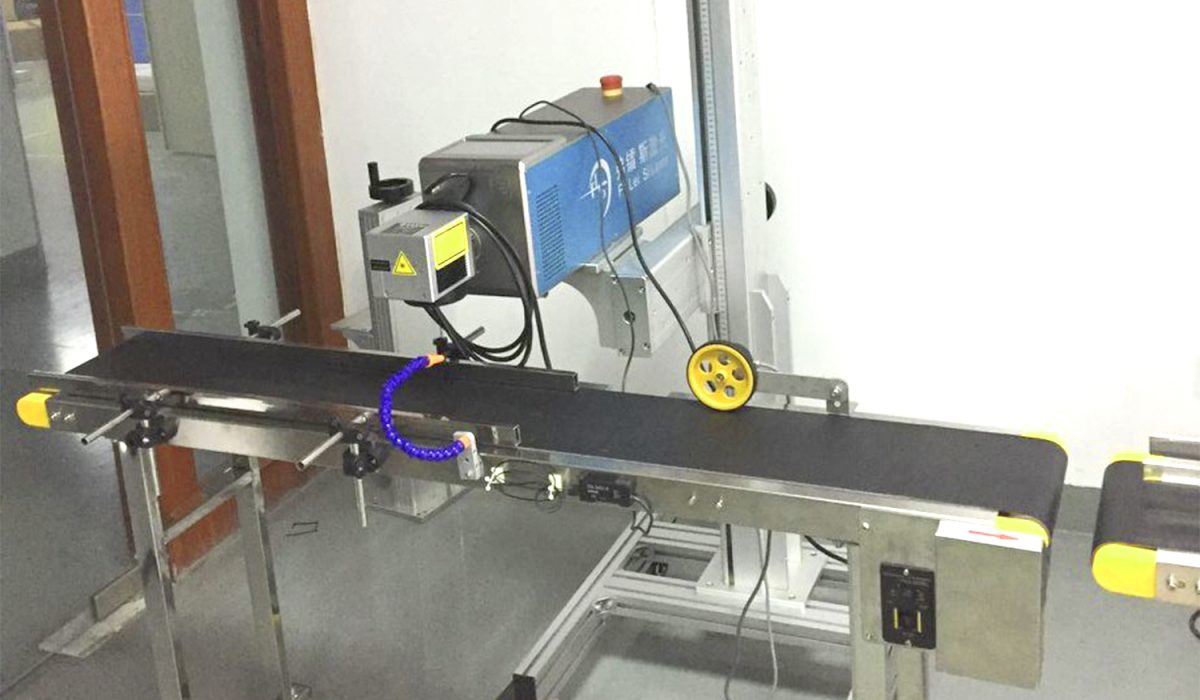
A laser marking machine is a non-contact, high-precision industrial tool that etches permanent marks like logos, serial numbers, barcodes, and QR codes onto metal, plastic, wood, and more. Unlike traditional engraving or printing, laser marking produces durable, legible marks without damaging the material surface — making it essential for manufacturing, automotive, electronics, medical devices, and jewelry industries.
In this guide, we break down everything you need to know before buying a laser marking machine: how it works, the different types, key specifications to compare, pricing ranges, and how to pick the right machine for your specific application. Whether you’re a small business owner or a factory procurement manager, this guide will help you make an informed decision.
What Is a Laser Marking Machine?
A laser marking machine uses a precisely focused laser beam to create permanent, high-contrast marks on the surface of almost any material. Compared to older marking methods such as screen printing, stamping, inkjet printing, or chemical etching, laser marking offers far greater consistency, longer mark life, and zero consumable costs.
Traditional printing methods often fade, peel, or smudge after months of use, especially in harsh industrial environments. Laser marks, by contrast, become part of the material itself. They resist abrasion, high temperatures, chemicals, and UV exposure — so the mark remains readable even after years of heavy use.
This technology has become the global standard for product traceability, brand identification, and regulatory compliance. Factories no longer need to stock ink, solvents, labels, or printing molds. Once the file is set, the machine can run continuously, marking thousands of parts per hour with no recurring material cost.
If you are looking for a reliable entry-level industrial unit, our 30W fiber laser marking machine is one of the most widely trusted configurations for general metal and plastic marking.
How Does a Laser Marking Machine Work?
At its core, a laser marking machine works by directing a concentrated laser beam onto a tiny spot on the material surface. The intense, controlled energy of the laser changes the material’s physical or chemical properties instantly — without cutting all the way through it.
There are three primary marking mechanisms:
- Laser Engraving: The laser physically removes a thin layer of material, creating a visible recessed depth. This is ideal for parts that need extremely durable marks that cannot be worn away.
- Laser Annealing: The laser heats the surface of metal gently, causing a controlled oxidation reaction just beneath the surface. This creates a dark, high-contrast mark with zero visible depth — perfect for medical and food-contact parts that must remain completely smooth.
- Laser Foaming / Color Change: On plastics and some non-metals, the laser locally melts or modifies the surface structure, creating a lighter or darker color contrast without damaging the base material.
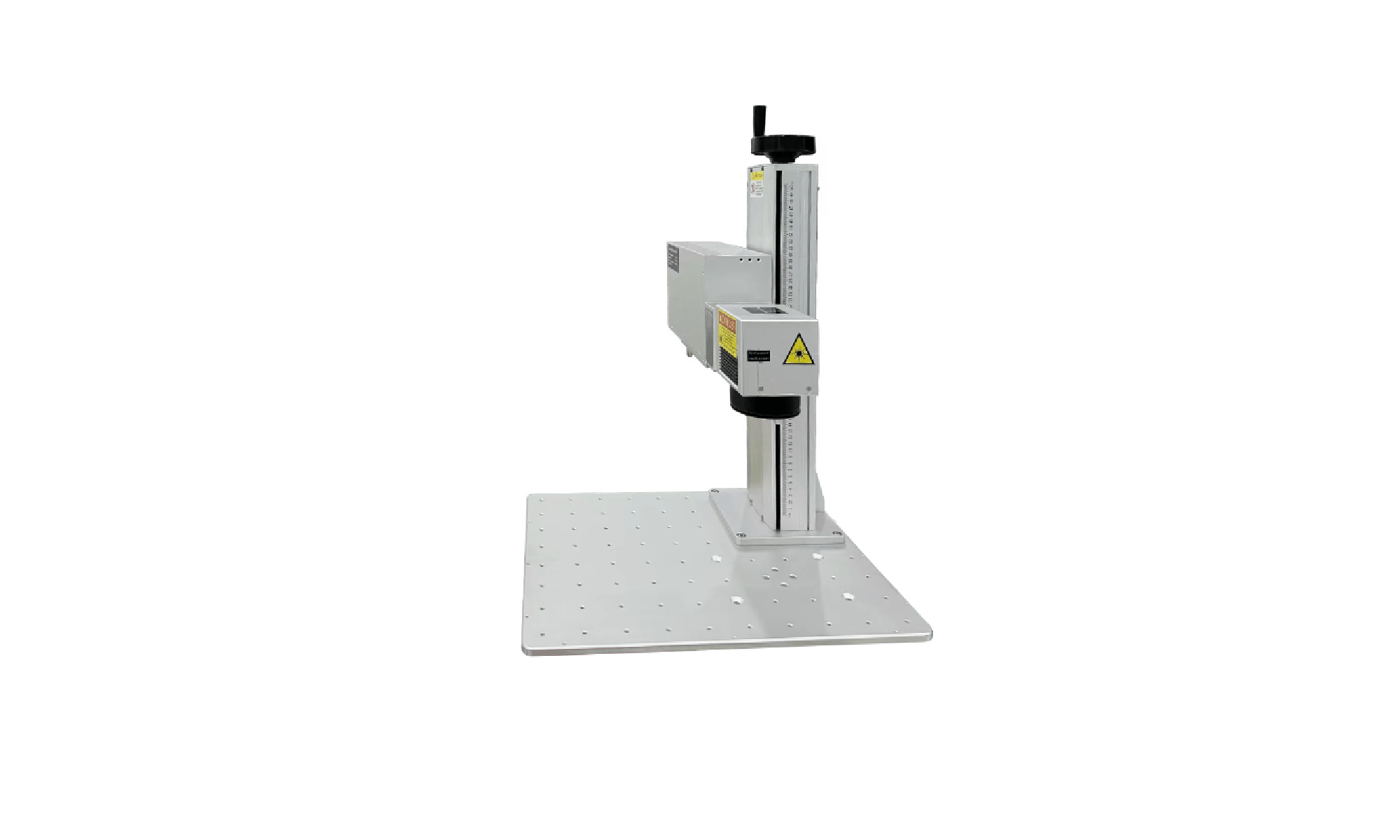
A standard industrial laser marking machine consists of five core components:
- Laser Source: The generator that produces the laser beam, available in fiber, CO2, and UV types.
- Galvo Scanner: A high-speed motorized mirror system that moves the laser beam across the surface to draw text, graphics, and codes.
- F-theta Lens: A specialized focusing lens that keeps the laser spot sharp and evenly focused across the entire working field.
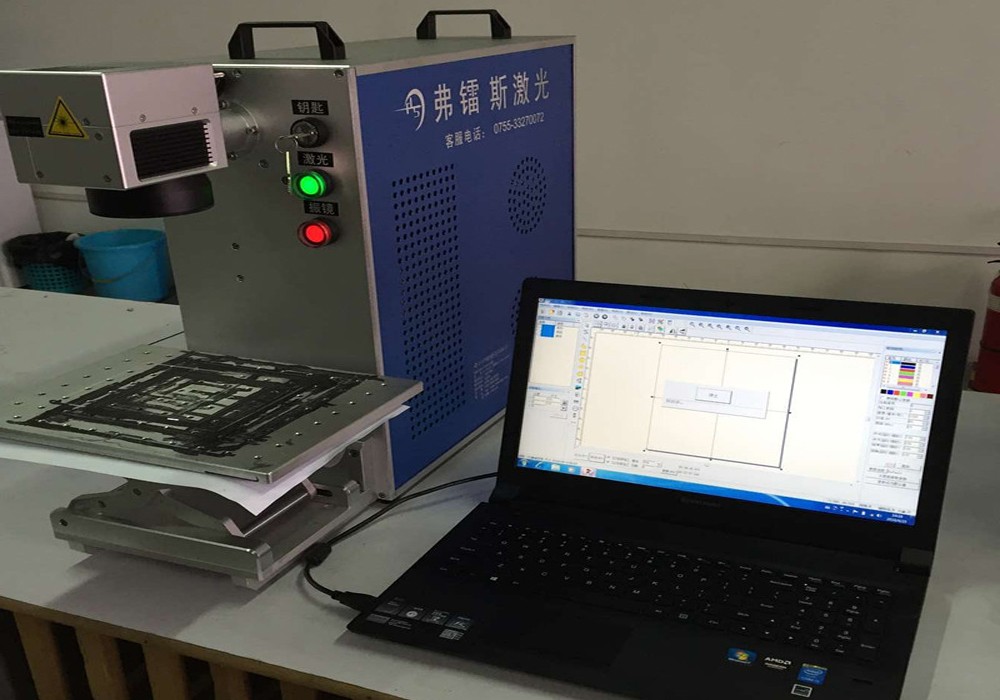
- Controller & Software: The brain of the machine, which translates your vector files and images into precise laser movement.
- Worktable & Motion System: The adjustable platform that holds the workpiece in place, often combined with Z-axis lifting for different part heights.
Types of Laser Marking Machines
Not all laser marking machines are the same. The laser wavelength defines what materials the machine can process well. Choosing the wrong type will result in poor mark quality, wasted investment, and limited flexibility on the production floor.
Fiber Laser Marking Machine
Fiber laser marking machines operate at a 1064nm infrared wavelength. This is the most popular industrial configuration worldwide, especially for metal processing.
- Best materials: Stainless steel, carbon steel, aluminum, copper, brass, gold, silver, and many engineering plastics such as ABS, PC, and POM.
- Key advantages: Extremely high electrical efficiency, maintenance-free operation, and a typical laser source lifetime of 100,000+ hours.
- Common applications: Hardware tools, automotive components, bearings, sanitary ware, jewelry, and mechanical parts.
- Best for: Factories that mark mostly metal parts and require long-term, stable daily production.
CO2 Laser Marking Machine
CO2 laser marking machines use a 10.6μm far-infrared wavelength optimized for non-metals.
- Best materials: Wood, leather, acrylic, paper, cardboard, fabric, rubber, and many types of glass.
- Key advantages: Excellent visual contrast on organic materials, smooth marking effect, and very competitive pricing for non-metal applications.
- Common applications: Gift customization, packaging date coding, leather engraving, wood crafts, and advertising signage.
- Best for: Businesses focused on packaging, crafts, leather goods, and non-metal product decoration.
UV Laser Marking Machine
UV laser marking machines produce a 355nm ultraviolet “cold” laser beam. Unlike infrared lasers, UV light creates very little heat-affected zone during processing.
- Best materials: Ultra-fine marking on plastic, glass, ceramic, PCB boards, silicon wafers, and sensitive electronic components.
- Key advantages: Near-zero thermal damage, micron-level precision, and the ability to mark materials that cannot be processed cleanly by fiber or CO2 lasers.
- Common applications: Mobile phone components, medical consumables, cosmetic packaging, connectors, and high-precision electronics.
- Best for: High-tech industries that demand ultra-fine marking quality and zero material deformation.
Quick Comparison Table
| Machine Type | Main Materials | Speed | Precision | Typical Price Range | Lifetime |
|---|---|---|---|---|---|
| Fiber Laser | Metals & Hard Plastics | Fast | High | $1,500–$10,000+ | 100,000+ hours |
| CO2 Laser | Non-Metals | Medium | Medium | $1,800–$8,000+ | 20,000–50,000 hours |
| UV Laser | Plastics, Glass, Electronics | Medium | Ultra-High | $3,500–$15,000+ | 10,000–30,000 hours |
Key Applications & Industries
Laser marking machines are now used across nearly every modern manufacturing sector. Their ability to deliver consistent, traceable, and permanent marks makes them indispensable for the following industries:
- Automotive: Marks VIN codes, engine components, brake parts, and safety-critical components.
- Electronics: Etches serial numbers, QR codes, and logos on PCB boards, chips, connectors, and phone casings.
- Medical Devices: Creates UDI-compliant permanent marks on surgical tools, implants, and disposable medical parts.
- Hardware & Tools: Marks brand logos, part numbers, and size information on wrenches, knives, measuring tools, and fasteners.
- Jewelry: Engraves custom text, patterns, and hallmarks on rings, bracelets, pendants, and precious metal accessories.
- Food & Beverage: Prints production dates, batch codes, and traceability QR codes on packaging lines.
- Sanitary Ware: Marks logos and part information on faucets, showerheads, and bathroom hardware.
- Gift & Customization: Personalizes trophies, pens, keychains, promotional products, and custom souvenirs.
Key Specifications to Consider
When comparing different laser marking machines, these specifications will have the biggest impact on your daily performance and long-term satisfaction.
Laser Power
Common industrial power levels are 20W, 30W, 50W, and 100W. Higher power does not automatically mean “better.”
- 20W: Suitable for fine, shallow marking on metal and plastic.
- 30W: The most versatile general-purpose choice, balancing speed and depth.
- 50W: For faster deep engraving and thicker material processing.
- 100W: Reserved for heavy-duty deep engraving applications.
Choosing more power than you need wastes budget. Choosing too little power will leave you frustrated with slow marking speeds.
Marking Area
Standard working fields are 110×110mm, 150×150mm, 200×200mm, and 300×300mm. Larger fields reduce the maximum achievable spot precision. If most of your parts are small, a 110×110mm or 150×150mm field will give you the sharpest results.
Marking Depth
If you only need surface color marking, low power is enough. If you need 0.1mm, 0.3mm, or even 0.5mm deep engraving, you will need higher power and a longer exposure time.
Scanning Speed
Most industrial galvo systems support marking speeds up to 7000mm/s or even higher. Real production speed depends on the complexity of the graphic, not just the maximum number listed on the spec sheet.
Beam Quality (M² Value)
An M² value close to 1 means the laser beam is near-perfect. Lower M² produces a smaller, sharper spot, allowing finer lines and more consistent energy distribution.
Software & Control System
Nearly all industrial laser marking machines use EZCAD or similar professional software. It should support common file formats including AI, DXF, PLT, BMP, and JPG. Advanced options such as visual automatic positioning, rotary axis support, and network connection can greatly improve automation efficiency.
Core Component Branding
The real difference between a reliable machine and a problematic one often lies in the hidden parts inside. Top-tier brands for laser sources, galvo scanners, and F-theta lenses will extend the machine’s service life and reduce unexpected downtime.
How Much Does a Laser Marking Machine Cost in 2026?
Prices for laser marking machines vary widely depending on configuration, brand, and origin. Below are realistic 2026 market price ranges for reference:
| Configuration | Entry Level | Mid-Range | High-End Industrial |
|---|---|---|---|
| Fiber 20W | $1,500–$2,500 | $2,500–$4,500 | $4,500–$8,000+ |
| Fiber 30W | $2,000–$3,500 | $3,500–$6,000 | $6,000–$10,000+ |
| CO2 30W | $1,800–$3,000 | $3,000–$5,000 | $5,000–$8,000+ |
| UV 3W | $3,500–$5,000 | $5,000–$8,000 | $8,000–$15,000+ |
The lowest-priced machines on the market often use low-quality laser sources, cheap galvo motors, and poor cooling systems. These units can fail within 1–2 years, causing unexpected production stops, lost orders, and expensive repair costs.
A properly configured 30W fiber laser marking machine can usually pay for itself quickly. At typical contract marking rates of $0.05 to $0.20 per part, many users recover their full investment within 6 to 18 months of regular operation.
Desktop, Portable, or Industrial: Which One Fits You?
Different form factors are designed for different working environments and production needs.
- Desktop: Compact, space-saving, and easy to place on a workbench. Ideal for small workshops, labs, studios, and low-volume production.
- Portable / Handheld: Lightweight and movable. Perfect for marking large, heavy parts that cannot easily travel to a fixed machine, such as construction materials, large machinery, or on-site maintenance work.
- Industrial Benchtop: Heavy-duty frame, stable performance, and built for 24/7 factory operation. This is the standard choice for mass production lines.
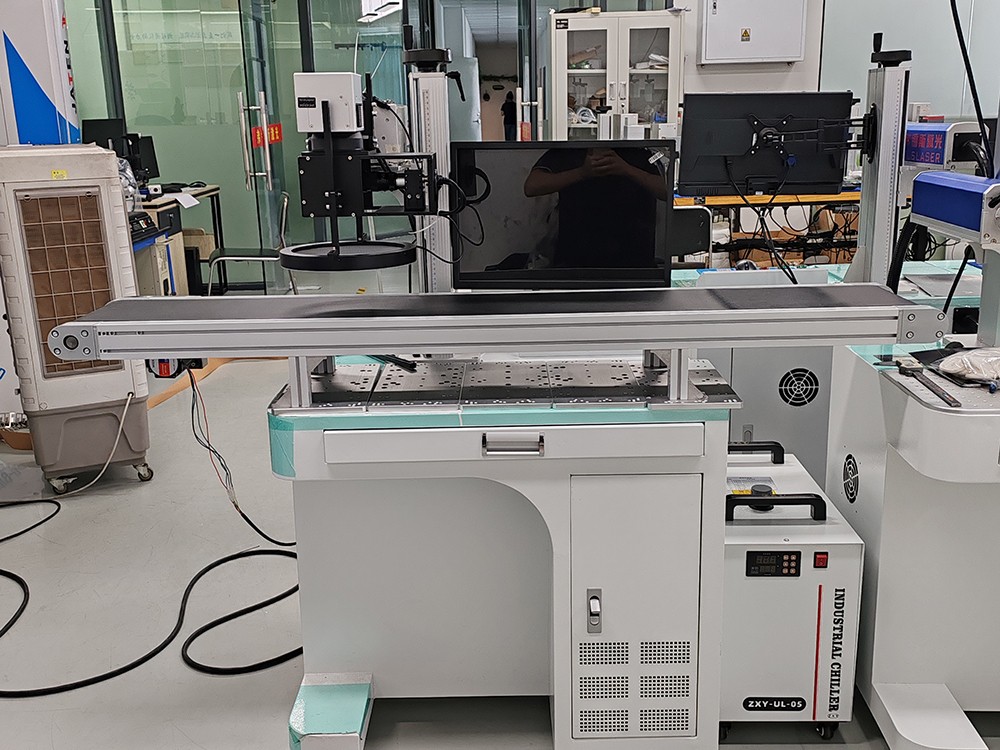
- Inline / Automatic: Integrated directly into an existing production line with conveyors, vision positioning, and automatic part detection. Designed for fully automated, high-volume manufacturing.
Before buying, ask yourself three simple questions: how big are your parts, how many do you need to mark per day, and where will the machine be installed. The answer will usually point you directly to the right machine type.
Pros and Cons of Laser Marking Machines
Like any industrial technology, laser marking has clear advantages and a few limitations you should understand before investing.
Advantages
- Permanent marks that cannot be easily erased or worn off.
- Extremely high precision, capable of marking characters as small as 0.1mm.
- Very high processing speed, suitable for large batch production.
- No ink, no labels, no consumables, and almost zero ongoing operating cost.
- Non-contact processing that will not deform or damage the workpiece.
- Fully digital and programmable, easy to switch between different designs.
Limitations
- The initial purchase cost is higher than screen printing or basic inkjet printers.
- Highly reflective metals such as pure copper and silver require specially optimized laser configurations.
- Operators need basic training to use the software safely and effectively.
- Class 4 laser systems require proper safety protection, including laser safety eyewear.
Laser marking is not for every business. But if you need permanent, consistent, traceable marks on a daily basis, it is almost always the most cost-effective long-term choice.
Safety and Maintenance Best Practices
A laser marking machine is a reliable industrial tool — but it still needs basic care and proper safety rules to run safely and last a long time.
All industrial laser marking machines are Class 4 laser devices. The direct beam and reflections can damage eyesight and skin. Always follow these basic safety rules:
- Wear certified laser safety glasses that match the correct wavelength of your machine.
- Keep the work area enclosed and locked during operation.
- Never look directly into the laser beam.
A simple regular maintenance routine will double the service life of your equipment:
- Daily: Wipe the protective lens cover and clean the worktable surface.
- Weekly: Check cables, air exhaust, and remove dust around the machine.
- Monthly: Perform a galvo calibration check and inspect the cooling system (for water-cooled models).
Avoid running the machine continuously at maximum power for 24 hours without proper ventilation. Keep the operating environment dry, dust-free, and within 10–35°C. Most common small problems can be fixed quickly with basic troubleshooting steps.
How to Choose the Right Laser Marking Machine
Choosing the right laser marking machine does not have to be complicated. Follow these six clear steps:
- Identify your main materials first: If you mostly mark metal, start with fiber. If you mostly mark non-metal, go for CO2. If you need ultra-fine marking on plastic or glass, choose UV.
- Define your marking requirements: Clarify what mark depth, font size, and mark contrast you actually need.
- Estimate your daily production volume: This tells you what speed level and machine form factor you need.
- Set a realistic budget: Avoid chasing the absolute cheapest unit, but also do not overpay for features you will never use.
- Send a sample for real marking test: No spec sheet is as convincing as an actual photo and video of your own part being marked.
- Check supplier support: A good supplier should provide full training, video tutorials, and fast after-sales technical support.
Not sure which machine fits your needs? Send us your material sample and marking requirements — our engineers will recommend the best configuration for free.
Why Choose Shenzhen FLS Laser?
Shenzhen FLS Laser is not a trading company. We are a direct laser equipment manufacturer with more than 12 years of industry experience, founded in 2011.
- All our machines are certified with CE, FDA, and ISO standards.
- We use top-tier brand laser sources, galvo scanners, and optical components.
- Every machine comes with a full 2-year warranty and lifetime free technical support.
- We offer custom solutions including rotary axes, vision positioning systems, safety enclosures, and full production line integration.
- Our products are currently exported to more than 80 countries around the world.
- We provide free sample marking for every customer — send us your workpiece and we will send you back photos and video of the finished mark within 24 hours.
- Full English operation videos, manuals, and remote online training are included with every machine.
Frequently Asked Questions
Q: What’s the difference between laser marking and laser engraving?A: Laser marking usually refers to surface-level color change or annealing without deep material removal. Laser engraving physically removes material to create a recessed, three-dimensional depth.
Q: Can a laser marking machine mark on plastic?A: Yes. Fiber lasers work very well on hard engineering plastics such as ABS and PC. UV lasers offer the highest precision and cleanest results on almost all types of plastic.
Q: How long does a fiber laser last?A: A quality industrial fiber laser source typically offers 100,000+ hours of working life. Under normal daily operation, that translates to 10–15 years of service.
Q: Do I need professional training to operate a laser marking machine?A: Basic operation can be learned in 1–2 hours. FLS Laser provides complete video training, step-by-step guides, and remote online support to get you running quickly.
Q: What file formats does the marking software support?A: Standard industrial software supports AI, DXF, PLT, DWG, BMP, JPG, PNG, and many other common graphic formats.
Q: Can you make a custom machine for my production line?A: Yes. FLS Laser regularly provides customized solutions including rotary axes, automatic conveyor integration, CCD visual positioning, and special safety enclosures.
Q: What is your warranty policy?A: Every machine ships with a 2-year full machine warranty, lifetime technical support, and free software updates.
Ready to find your perfect laser marking machine? Contact Shenzhen FLS Laser today for a free consultation and sample marking test.
Related Articles:2026 Complete Guide to Laser Marking Machine: Types, Applications and Selection Tips